
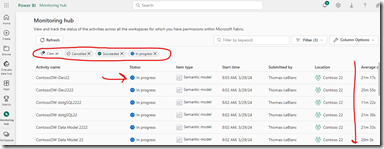
I really like the new Monitoring Hub for the Power BI Service.
It is a good morning when all the models are finished and completed successfully, but it is not that good of a day if some are still running or Failed. No matter what, the ability to see these and react to them is huge!!!

So, if I click on the ‘three dot button’ to the right of a In progress model, I get a menu. I can open the model, view details as well as look at historical runs. The historical runs is really nice because now I can see if it is significantly running longer.

There is a Column Option dropdown that allows various properties and statistics to show in the table of results.

The view details gives you an Average duration value to help compare to the length of the current run.


